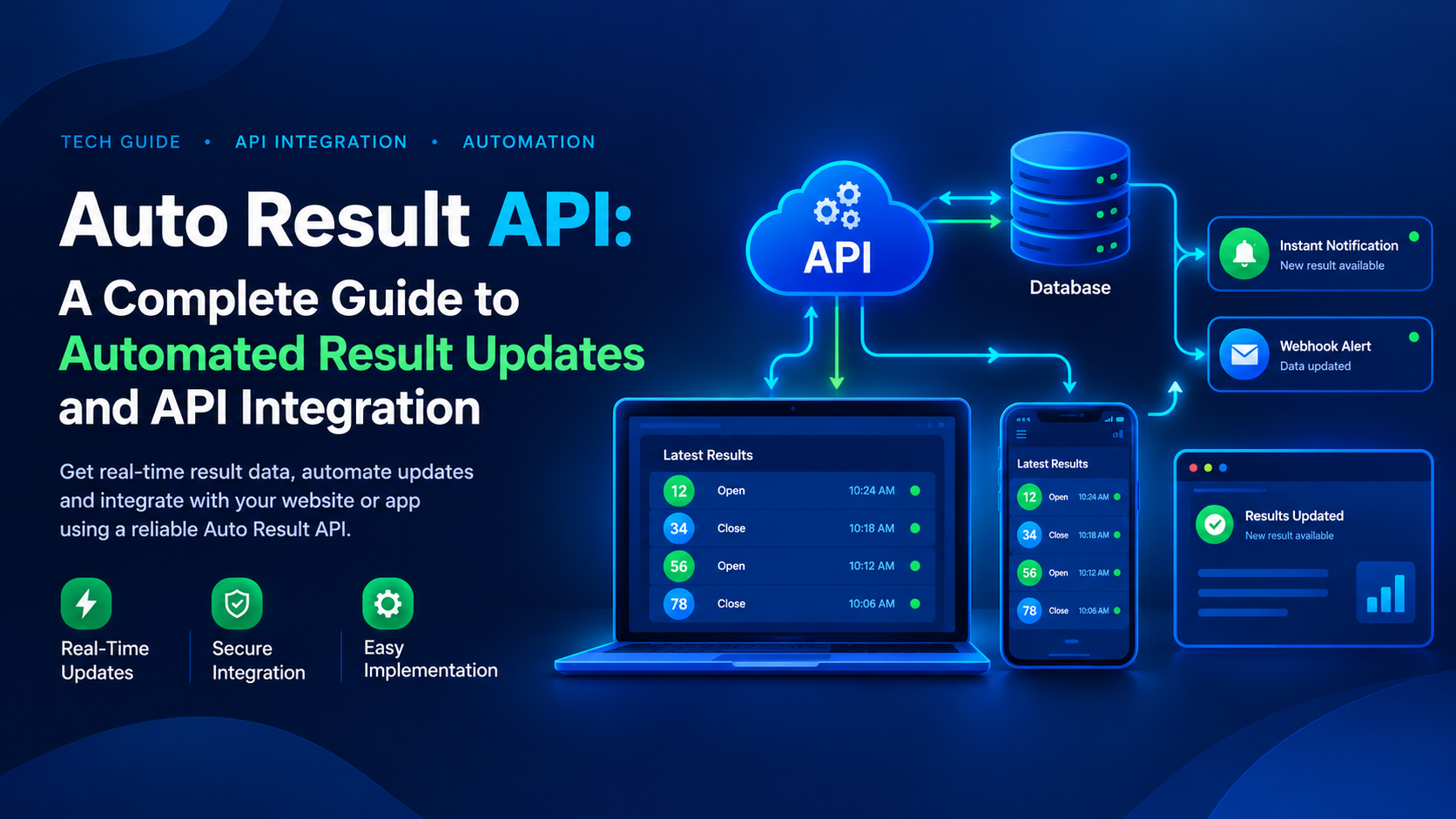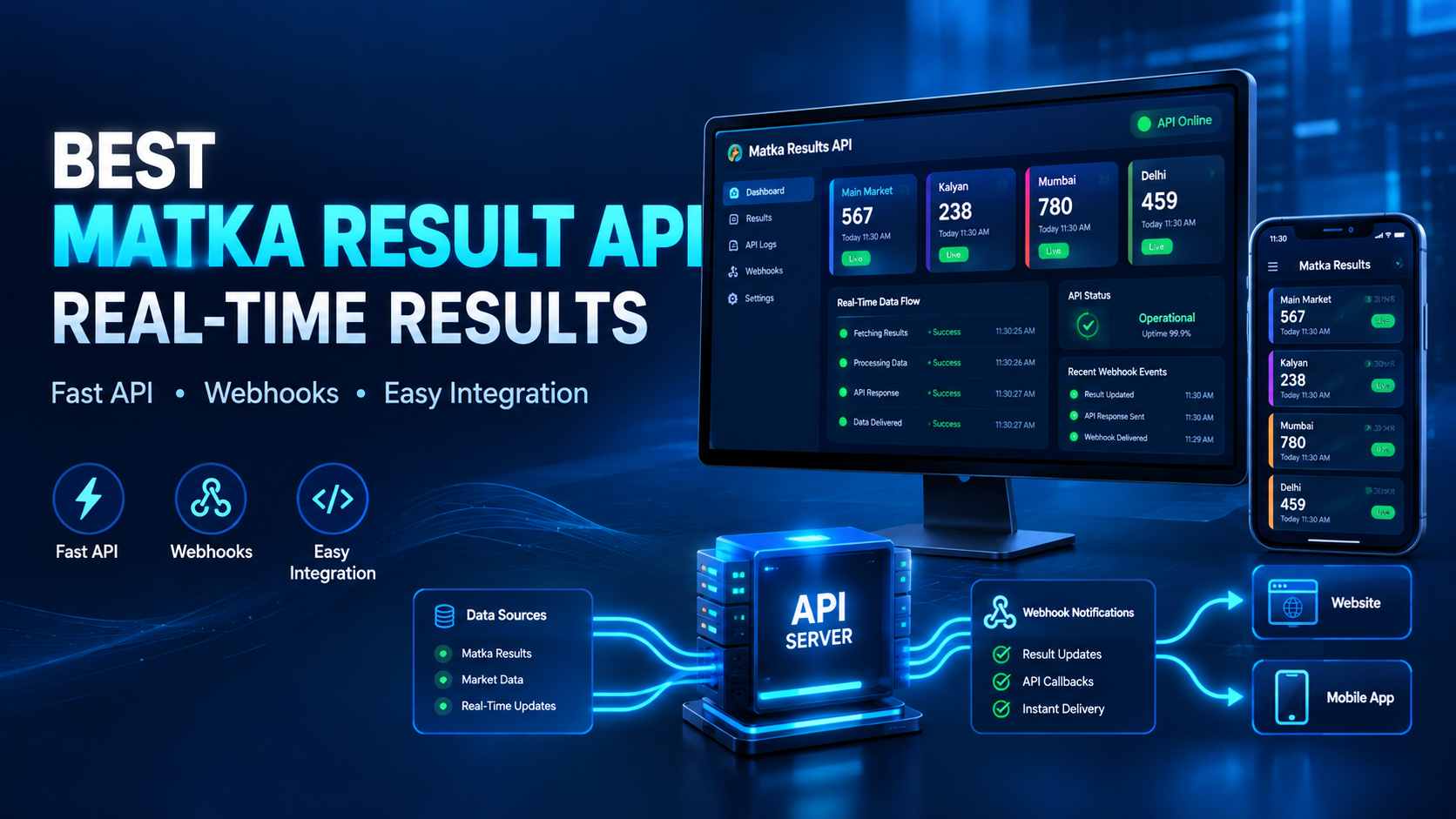
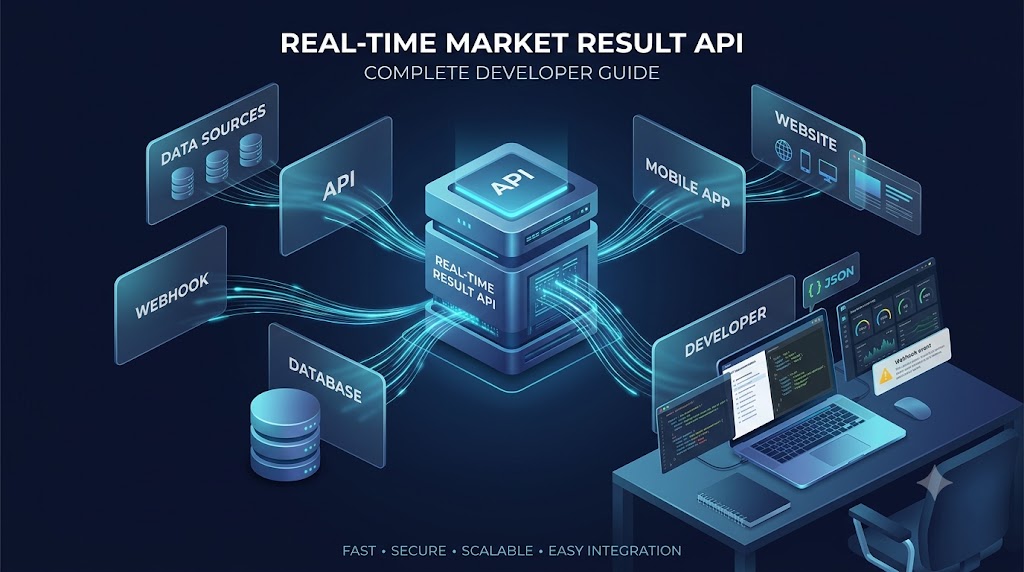
Real-Time Market Result Data API: Complete Developer Guide
In today's fast-moving digital platforms, data speed matters a lot.
When users are checking market results through an application or website, even a small delay can create a poor user experience. Developers therefore need a reliable way to collect result data and display it on their software as quickly as possible.
This is where a Real-Time Market Result Data API can be useful.
Instead of manually collecting result information and updating an application every time, developers can connect their software with an API and automatically receive structured result data.
For developers working with lawful, permitted, or informational result platforms, an API provides a much cleaner way to manage real-time data.
What Is a Real-Time Market Result Data API?
A Real-Time Market Result Data API is an interface that allows software applications to request and receive market result information automatically.
For example, instead of a developer manually entering:
- Market name
- Result number
- Result date
- Result time
- Result status
the application can request the information from an API server.
The API then returns structured data, commonly in JSON format, which the developer's application can process and display.
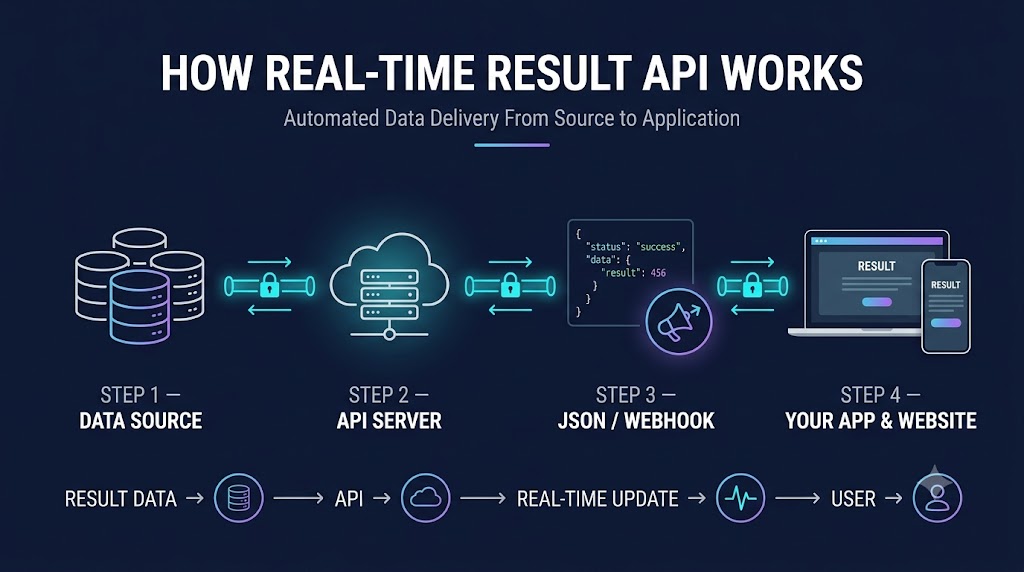
A simplified flow looks like this:
Result Source → API Server → Your Application → User
This makes the entire process faster and reduces the need for manual data entry.
Why Real-Time Data Is Important
Imagine a website where result information is updated several minutes after the actual source.
Users may refresh the page repeatedly because they don't know whether the latest data has arrived.
For this reason, developers generally look for three things:
1. Speed
The API should deliver updated information quickly.
2. Reliability
The service should remain available consistently instead of frequently going offline.
3. Data Consistency
The same structured response should be returned in a predictable format so developers can easily process it.
A good API is not only about getting data. It is also about getting consistent and usable data.
How a Market Result API Works
The basic API workflow is actually quite simple.
Step 1: Developer Creates an API Account
The developer receives API access credentials, depending on the provider.
Step 2: Application Sends an API Request
The application sends a request to the API endpoint.
For example:
GET /api/results
Additional parameters can be used for a particular market or date.
Step 3: API Processes the Request
The API server retrieves the latest available result data from its configured data sources.
Step 4: Structured Data Is Returned
The server responds with structured information, usually JSON.
Step 5: Application Displays the Result
Your website, Android application, dashboard, or other software reads the response and displays the relevant information.
This process can happen automatically without manual updating.
API Response Example
One of the biggest advantages of using an API is structured data.
A simplified JSON response might look like:
{ "market": "Example Market", "date": "2026-09-09", "result": "123-45-678", "status": "published", "updated_at": "2026-09-09T12:30:00Z" }
The exact response depends on the API provider.
Some APIs may provide additional fields such as:
- Market ID
- Market name
- Result date
- Result time
- Open value
- Close value
- Status
- Updated timestamp
- Result history
Developers can then map these fields to their own database and application UI.
What Is a Webhook and Why Developers Use It?
Traditional API integration often works using polling.
For example, an application might call an API every 30 seconds:
Request → API Request → API Request → API Request → API
This works, but it can generate unnecessary API requests.
A webhook provides a different approach.
With a webhook:
New Data Available ↓ API Provider ↓ Webhook ↓ Your Server ↓ Your Database ↓ Your Application
Instead of continuously asking the server whether new data is available, your server can receive an event when updated information is published.
This can reduce unnecessary requests and make applications more responsive.
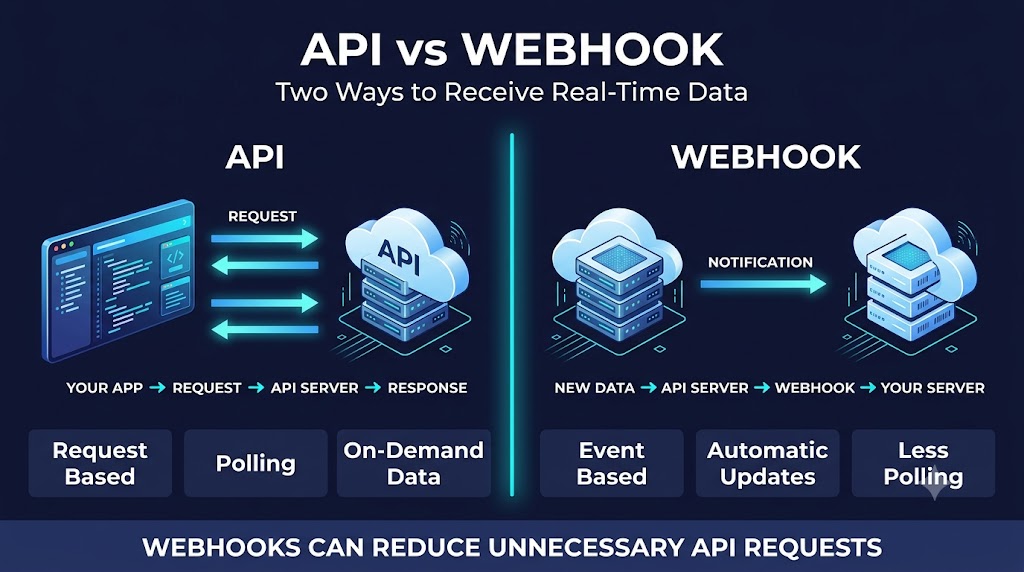
API vs Webhook: What's the Difference?
| Feature | API | Webhook |
|---|---|---|
| Data retrieval | Application requests data | Provider sends data |
| Communication | Request/Response | Event based |
| Polling required | Usually | No |
| Developer control | High | High |
| Best for | On-demand data | Automatic updates |
| Server requests | Can be frequent | Usually lower |
A well-designed result data platform can support both API and webhook integration, allowing developers to select the architecture that fits their application.
Important Features to Look for in a Result API
Before integrating any real-time data API, developers should evaluate the technical quality of the provider.
1. Fast Data Delivery
If your application depends on current information, the API should have low response latency and a reliable update pipeline.
2. High Uptime
Frequent downtime can affect your application's availability.
Look for providers that maintain strong infrastructure and monitor their API services continuously.
3. Easy Integration
Good API documentation should explain:
- Authentication
- Endpoints
- Parameters
- Response format
- Error codes
- Rate limits
- Webhooks
- Example requests
Poor documentation can turn a 10-minute integration into a multi-hour job.
4. Secure API Access
API credentials should never be exposed directly inside frontend code.
For example, avoid putting private API keys inside JavaScript running in a browser.
A better architecture is:
Frontend ↓ Your Backend ↓ Result API
Your backend securely stores the API credentials and communicates with the provider.
5. Multiple Market Support
Developers working on market-information platforms may need data from multiple markets.
A provider may support different markets and regional result sources through a single API structure.
For example, depending on availability and applicable laws, a provider may offer data for markets such as:
- Kalyan
- Milan
- Sridevi
- Time Bazar
- Madhur
- Main Bazar
- Gali
- Faridabad
- Ghaziabad
- Other Delhi-region markets
The important thing for developers is having a consistent API structure across different markets.
Result Data Verification
Speed is important, but data accuracy is even more important.
A result API provider should have processes for collecting and verifying data before making it available through its API.
A basic data pipeline can look like:
Source Data ↓ Data Collection ↓ Validation ↓ Verification ↓ API Processing ↓ Developer Application
This type of workflow helps reduce incorrect, incomplete, or duplicate records.
Developers should also understand that API providers depend on their underlying data sources. Therefore, it is good practice to have monitoring and validation systems rather than blindly assuming every external data source is perfect.
How to Integrate a Real-Time Result API
The actual integration process depends on your programming language and API provider.
The general process is:
Step 1: Get API Credentials
Create an account and obtain your API key or other authentication credentials.
Step 2: Read the API Documentation
Check available endpoints, parameters, authentication methods and response formats.
Step 3: Test the API
Use tools such as Postman or cURL to test API responses before connecting it to your production application.
Step 4: Connect Your Backend
Your backend application should make the API request.
Common technologies include:
- PHP
- Laravel
- Node.js
- Python
- Java
- .NET
Step 5: Store the Data
Depending on your application, you may store the received information in:
- MySQL
- PostgreSQL
- MongoDB
- Redis
- Other databases
Step 6: Display the Data
Your frontend can retrieve the processed data from your own backend and display it to users.
Example API Request
A generic request could look something like:
curl -X GET "https://api.example.com/results?market=example" \ -H "Authorization: Bearer YOUR_API_KEY"
The API server may then return:
{ "success": true, "market": "Example Market", "result": "123-45-678", "timestamp": "2026-09-09T12:30:00Z" }
The exact endpoint, authentication method and parameters will be different for each API provider.
Laravel Integration Example
Laravel is widely used for building web applications and backend systems.
A basic API request can be handled using Laravel's HTTP client:
use Illuminate\Support\Facades\Http; $response = Http::withToken($apiKey) ->get('https://api.example.com/results', [ 'market' => 'example' ]); $data = $response->json();
The returned $data can then be validated, stored in your database and displayed through your application.
For production systems, developers should additionally implement:
- Error handling
- Request timeouts
- Logging
- Retry logic
- Response validation
- Authentication protection
- Caching where appropriate
Handling API Errors
No API is completely immune to errors.
Your application should be prepared for situations such as:
401 — Unauthorized
Usually indicates an invalid or missing authentication credential.
403 — Forbidden
The account may not have permission to access a particular resource.
404 — Not Found
The requested endpoint or resource does not exist.
429 — Too Many Requests
The application has exceeded the allowed request rate.
500 — Server Error
There may be an issue on the API provider's server.
A good application should never simply crash when an API request fails.
Instead, implement proper error handling and logging.
API Caching and Performance
If hundreds or thousands of users request the same market data simultaneously, sending every request directly to an external API may not be the most efficient architecture.
A better approach can involve caching.
For example:
Users ↓ Your Application ↓ Cache ↓ Your Database ↓ External API
Technologies such as Redis can be used for fast temporary data storage.
Caching should be designed carefully, though. For real-time information, overly long cache durations can cause stale data.
The goal is to balance speed and freshness.
Database Design for Result Data
A simple database table could contain fields such as:
| Field | Purpose |
|---|---|
| id | Unique record ID |
| market_id | Market identifier |
| market_name | Market name |
| result | Result value |
| result_date | Result date |
| result_time | Published time |
| status | Current status |
| source | Data source |
| created_at | Record creation time |
| updated_at | Last update |
For larger systems, developers may create separate tables for markets, results, API logs and webhook events.
Security Best Practices
API security should not be ignored.
Follow these basic practices:
Keep API Keys Private
Never expose private API credentials in public repositories or frontend JavaScript.
Use HTTPS
Always communicate through encrypted HTTPS connections.
Validate Incoming Webhooks
Your server should verify that webhook requests genuinely originate from the expected provider.
Log Important Events
Keep useful logs for:
- API requests
- Failed requests
- Webhook events
- Authentication failures
- Data updates
Use Environment Variables
For Laravel applications, credentials can be stored in .env rather than hard-coded into source files.
Why Choose a Specialized Market Result API Provider?
Building an entire result collection and distribution infrastructure from zero can require considerable development and maintenance work.
A specialized provider can offer:
- Ready API infrastructure
- Structured result data
- Multiple market endpoints
- Webhook support
- API documentation
- Developer support
- Monitoring
- Scalable infrastructure
- Technical assistance during integration
This allows developers to focus more on their application rather than spending all their time building the underlying data pipeline.
Matka Result API and Satta Result API
For developers building lawful and permitted informational applications, specialized providers may offer APIs covering different market-result categories.
A dedicated Matka Result API or Satta Result API can provide structured data that applications can consume programatically instead of manually updating result pages.
Typical use cases can include:
- Result display websites
- Mobile applications
- Internal dashboards
- Result-history systems
- Data dashboards
- Notification systems
- Developer testing environments
Availability of specific markets and data should always be confirmed with the API provider.
Choosing the Right API Pricing Plan
Price should not be the only factor when selecting an API.
Developers should compare:
API request limits + supported markets + uptime + webhook availability + support + documentation + response speed
A very cheap API that frequently goes offline may ultimately cost more in development time and lost reliability.
Look for a plan that matches your expected traffic.
For example:
Small Project
Suitable for testing and low-traffic applications.
Growing Application
Higher request limits and more market coverage.
High-Traffic Platform
Higher limits, priority infrastructure and technical support may be more important.
Why Webhook Support Can Be a Big Advantage
One of the useful features of a modern result API is webhook support.
Without a webhook, your application might repeatedly ask:
"Is there a new result?"
With a webhook, the provider can notify your server when new information becomes available.
That means less unnecessary polling and a cleaner backend architecture.
For developers handling frequent updates, this can make a noticeable difference in application performance.
Common Mistakes Developers Make
Mistake 1: Calling the API Too Frequently
Calling an endpoint every second is usually unnecessary and can lead to rate-limit problems.
Mistake 2: Exposing API Credentials
Never put private API keys directly in frontend code.
Mistake 3: No Error Handling
Your application should continue working even when the external API temporarily fails.
Mistake 4: No Data Validation
Always validate API responses before inserting them into your database.
Mistake 5: Ignoring Webhooks
If your provider supports webhooks, evaluate whether event-based updates are more efficient for your application.
Mistake 6: No Backup Strategy
For important applications, developers should have a plan for temporary API outages or delayed source data.
Final Checklist Before API Integration
Before going live, check the following:
- API credentials are securely stored
- HTTPS is enabled
- API endpoints have been tested
- JSON response has been validated
- Error handling is implemented
- Rate limits are understood
- Webhook integration is tested
- Database structure is ready
- Duplicate data handling is implemented
- API downtime handling is implemented
- Logs and monitoring are enabled
- Applicable laws and platform policies have been reviewed

Final Thoughts
A Real-Time Market Result Data API can significantly simplify the process of bringing frequently updated result information into websites, mobile applications and dashboards.
Instead of building the complete data collection infrastructure yourself, developers can connect to a specialized API, process structured responses and display the information through their own software.
The best API isn't necessarily the one with the lowest price. Response speed, reliability, documentation, security, uptime, market coverage and developer support all matter when choosing an API provider.
For platforms operating in regulated or legally restricted areas, developers should also verify that their application, data usage and business model comply with applicable laws and third-party platform policies.
If you're evaluating a provider, check its API documentation, supported markets, authentication method, response examples, webhook functionality, rate limits and support process before starting production integration.